How it works
From a customer’s Microsoft 365 to your next conversation.
Read-only access, approved by the customer. An assessment with the evidence under every finding. What changed, the conversation prepared, and your services beside the need. Nothing installed, nothing changed.
Five steps
One mechanism, for every customer.
01
Connect
A Global Administrator of the customer’s tenant approves Vitals through Microsoft’s own consent screen. Eleven read-only permissions, every one listed before anything is approved. Nothing is installed and nobody at Innova Group signs in to the tenant.
02
Assess
Vitals reads the tenant through Microsoft Graph, in memory, for the length of the assessment: 26 checks across five areas, every finding with the evidence it was read from and a label for how it knows. Unknown is never shown as healthy.
03
See what changed
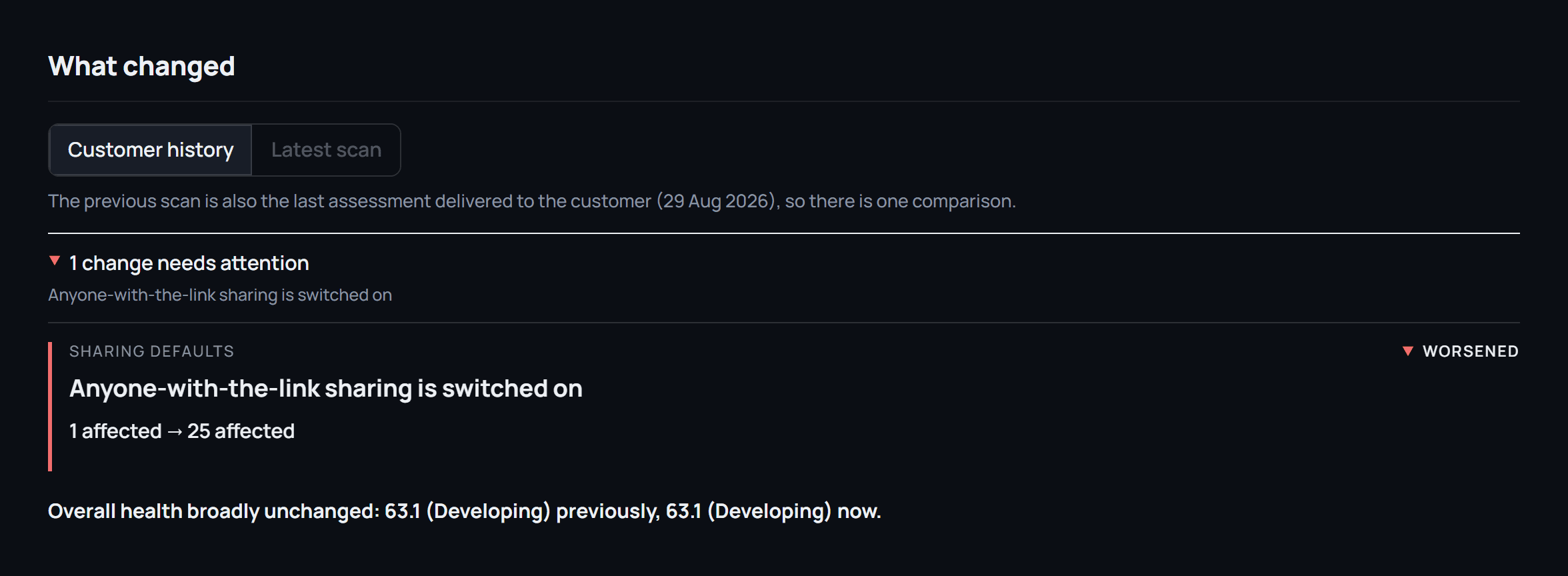
The next assessment opens with what changed in the customer’s tenant since the last report they were sent, kept apart from what Vitals can now see more of or reads differently. A real change is never confused with a change in Vitals.
04
Prepare the conversation
For a customer that needs attention, Vitals prepares the brief: why now, the outcome for the customer, the evidence, the questions to ask, what to check before you say it, and the next step. Built from the assessment by fixed rules.
05
Act, with your services beside the need
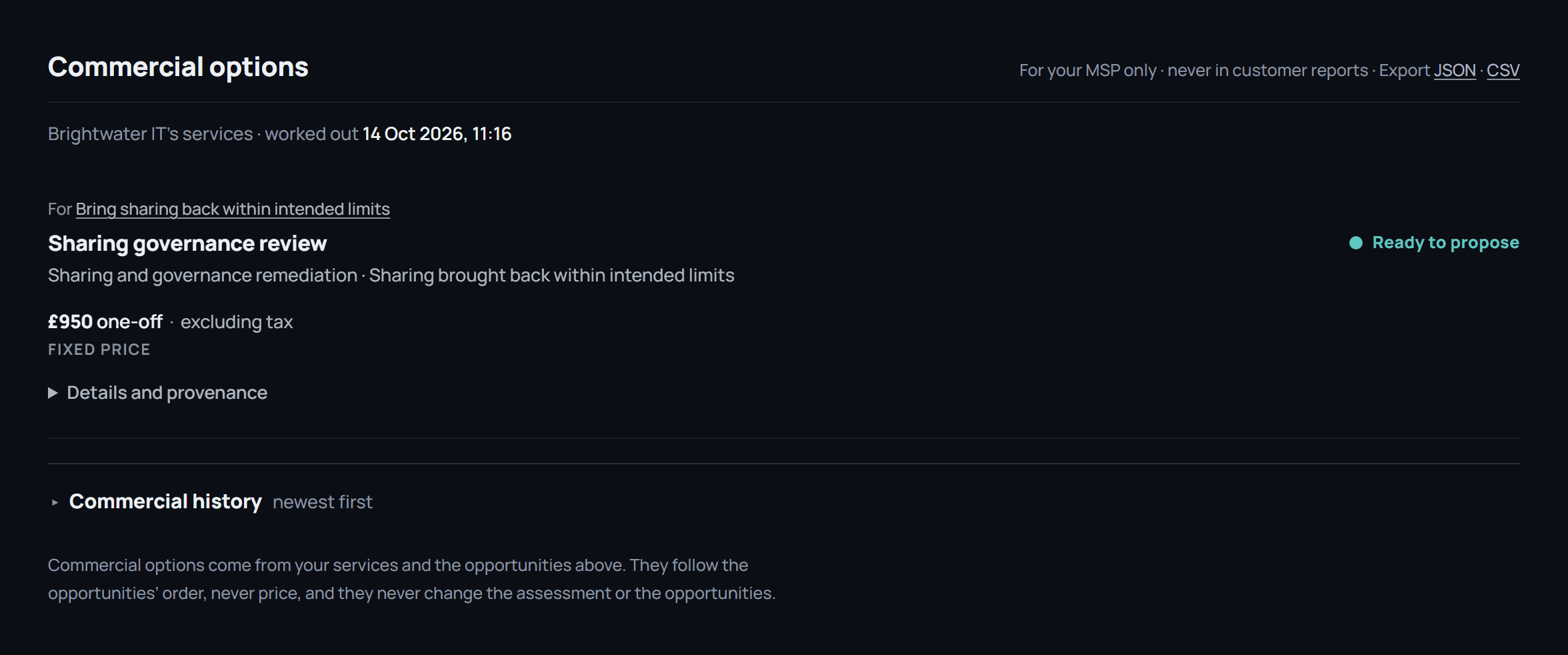
Describe your services once. Where one of them fits an established need, Vitals says so and whether it is ready to propose. Visible to your team only; the customer never sees it.
When it runs
Every quarter for a partner’s customers, or once for one tenant.
- On a subscription
- Each enrolled customer is assessed every quarter, with an on-demand assessment available once every 7 days. The comparison is kept between runs. Bands and the entitlement are on the pricing page.
- A single assessment
- One tenant, assessed once, with the report delivered by private link within three working days of access being approved. A second assessment, whenever you choose, opens with what changed since the first.
- Afterwards
- Nothing runs in the tenant between assessments. Access can be removed from the customer’s Microsoft admin centre in one click, at any time.
Access
Eleven read-only permissions, listed before anything is approved.
Vitals reads directory, policy, licence, site and mailbox-rule metadata. It does not read the contents of your files, emails or Teams messages; it asks for no permission that would allow it. It writes nothing back, and nobody at Innova Group signs in to the tenant. Access is granted through Microsoft’s own consent screen and removed from the admin centre in one click.
Every permission, what is kept, and how to revoke →All 26 Microsoft 365 checks →
The proof
How a finding is made.
Evidence first, then the rule, then the finding, then the words. In that order every time, which is what makes each finding something a technician can check.
01
Evidence
What Microsoft Graph returned for this tenant: a count, a state, a subscription, a policy. Recorded with the endpoint it came from.
02
Rule
A defined test over that evidence, with an identity, a threshold and a version. The same for every tenant.
03
Finding
What the rule concluded, with a severity and a label for how it knows: observed, calculated, inferred, or not assessed.
04
Explanation
Why it matters and what to do, written for the person deciding what happens next. The prose follows from the finding, never the other way round.
HighInferred69 people are licensed for device management, and 14 devices are enrolled
Device management is included in the subscriptions this organisation already holds. Where a device is not enrolled, none of it applies: company data on that machine cannot be protected, wiped if it is lost, or held to any standard.
Evidence
- People licensed for device management
- 69
- Graph /subscribedSkus
- Devices enrolled in Intune
- 14
- Graph /deviceManagement/managedDevices
- Unaccounted for
- 55
Recommended fix: Enrol company devices in Intune, starting with laptops that hold or access company data. No additional licence is needed — the entitlement is already there.
A finding from the sample report. Labelled inferred because device counts against licence counts is a proxy: a person can be licensed and have no company device.
See it across your customers, or on one tenant first.
Pricing and what each route includes, the sample report, or all 26 checks. Assessing a Copilot pilot? See the Copilot pilot assessment.